
Compare a handheld gimbal camera with a waterproof action camera through the shots you actually want to make.
1 / 4
DJI Osmo Pocket 3 camera body in a shop display; Creator Combo accessories not picturedPhoto 1 / 4
DJI Osmo Pocket 3 - 1 by Kyu3a · CC BY-SA 4.0. Resized by Wikimedia; no further file edits by PEH. The photo remains available under the same licence.
Cameras & creation / DJISaved on this device. No account needed.
DJI Osmo Pocket 3 Creator Combo
For the moments that refuse to sit still.
A compact camera built around a three-axis gimbal and a rotating touchscreen. The Creator Combo adds a microphone, battery handle and mini tripod for a portable recording setup.
- Three-axis mechanical gimbal
- Rotating touchscreen
- Creator Combo microphone, battery handle and mini tripod
Find it at Amazon
Paid link. As an Amazon Associate I earn from qualifying purchases.
View on Amazon Check price, availability and the exact model in the Amazon store you reach. Amazon may show a local alternative or search results when the exact product is unavailable.A good fit for…
Creators who want a compact recording setup.
A detail worth knowing.
A compatible microSD card is required. Check phone compatibility with DJI Mimo for activation, and confirm the included accessories before ordering.
THE DETAILS THAT MATTER
Useful specifications.
- Dimensions
- 139.7 × 42.2 × 33.5 mm (camera body)
- Weight
- 179 g (camera body)
- Sensor
- 1-inch CMOS
- Touchscreen
- 2.0 inches
- Storage
- microSD, up to 1 TB; no built-in storage
Product details updated 2026-09-24.
A few useful answers.
Do I need a memory card?
Yes. The camera has no built-in storage; use a compatible microSD card from the recommended list.
Is the Creator Combo the same as the camera-only package?
No. The Creator Combo adds a microphone, battery handle and mini tripod to the camera. Confirm the included accessories before ordering.
What do I need to activate the camera?
Activate the camera with the DJI Mimo app on a smartphone with Wi-Fi and Bluetooth enabled. Check phone compatibility before buying; LightCut cannot activate or update the camera.
About this overview
Product details updated 2026-09-24.
Product reference
Product reference: B0CG19FGQ5 · Brand: DJI
Featured in Edition 01 · Small upgrades. Big personality.
Something changed or looks incorrect? Tell us →Before you choose
More discoveries to explore
Cameras & creation
3 photosOn PEH
Cameras & creation

5 photosOn PEH
Sony02
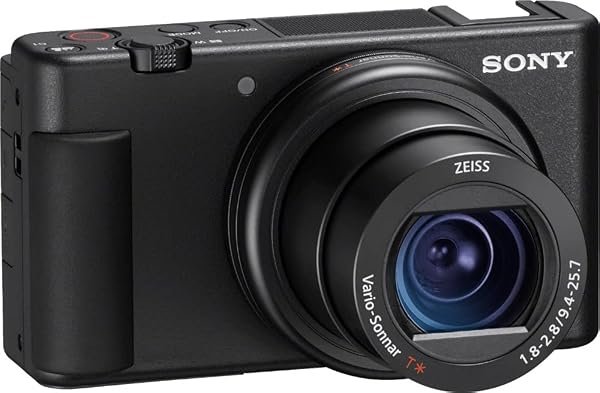
Sony ZV-1 Digital Camera for Content Creators
Viewing and capture. A closer look.
Take a closer look